Virtual foldersFiles stay in the upload location configured for your site.
Safe deactivationThe Media Library returns to the normal WordPress view.
No plugin telemetry by defaultPlathix itself does not send telemetry or analytics.
Plathix
Media Library
Order in every folder
Where the mess comes from
A Media Library rarely becomes messy overnight. It grows file by file: photos, price lists, banners, logos, icons, old versions. Soon it is one long list.
Search helps when you remember the file name. But many files are called IMG_2391.jpg or banner-final-2.png.
Plathix gives files a visible place, so finding one no longer depends on who remembers where it went.
Where is the latest version of this file?
Which image is already used on the site?
Why do we have four copies of this PDF?
Which uploads still need sorting?
Everything Plathix does
Plathix is a set of tools for keeping media in order:
Ready folder sets are one of the fastest ways to bring a Media Library into order. Instead of building folders from zero, pick one of nine starter structures for your kind of site and adjust it.
Apply the closest set, then rename, remove, recolor, or add folders. A set adds to your structure - it does not replace your files. You can also start from an empty tree or restart the first-run helper.
Built a structure you like? Export it and reuse it on another site - good for backups, client handoff, and agency starters.
Moving from another folder plugin? Plathix brings your folders and the files in them over from FileBird, HappyFiles, Real Media Library, WP Media Folder or Wicked Folders, so you don't sort the library twice. The old plugin's data stays as it was.
Stop uploading the same file again
Duplicate uploads happen because the original is hard to find. A clear tree keeps it visible and easy to reuse.
And inside a folder, new uploads go straight into it. No uploading first and moving the file later.
Delete without fear
Plathix does not delete your media the moment you click. Deleted folders go to Trash first.
Media Filesthe full Media Library
Unsortedfiles that have no folder yet
Trashdeleted folder structures and related items, depending on your settings
When you activate Plathix, existing files are not moved. Anything without a folder lands in Unsorted, and the count drops as you sort. You clean up an old library gradually, without losing track.
You decide when anything is deleted for good. A deleted folder waits in Trash for as many days as you set, from 1 to 180 (30 by default), and comes back with one click on Restore. You also choose whether a folder's files go to Trash with it or stay in your Media Library.
Virtual folders: order without broken URLs
Plathix uses virtual folders. The structure lives inside WordPress, while your files stay in the upload location configured for your site.
Changing a file's Plathix folder does not move the physical file or change its attachment ID. Files already used on the site keep their media location.
WordPress attachment
→
Plathix virtual folder
→
Original file stays in place
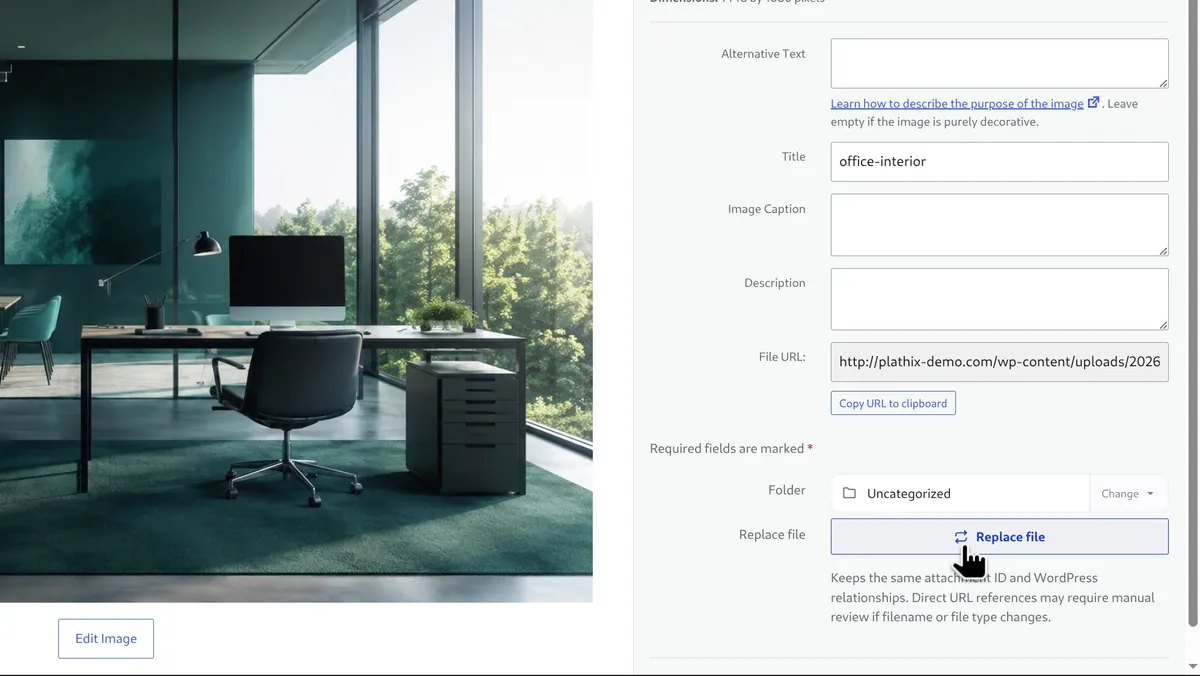
Replace a file, keep the attachment ID
Some files change after they are used: a price list, a logo, a banner.
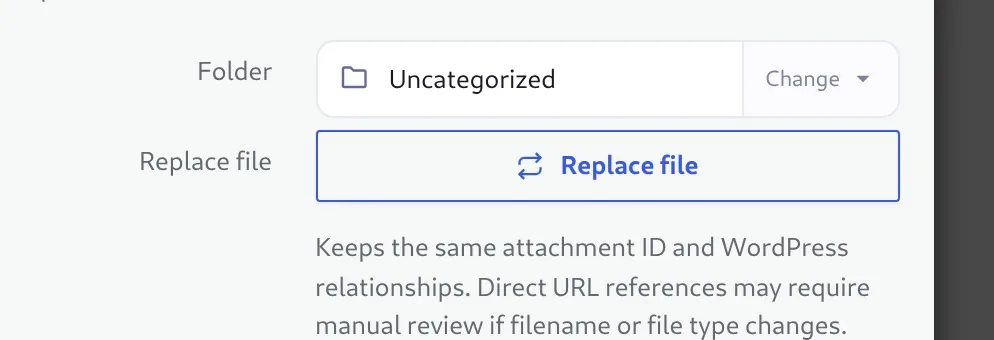
Plathix replaces the file behind an attachment while keeping the attachment ID. Content that uses the attachment record can then use the updated file. Keep the same file type where you can. After replacing, check the pages that use it and clear any caches or CDN.
One SVG policy for the whole site
WordPress blocks SVG uploads, so sites often end up with several plugins fighting over it. Plathix gives you one policy for the whole site:
• allow SVG uploads with sanitization • block SVG uploads • leave SVG handling to another plugin
Files that do not pass sanitization are rejected, and you pick which roles may upload SVG. A stricter mode suits sites with editors you do not fully trust.
Safe to try
Files are not movedPlathix folder changes do not move files on disk or change their existing media URLs
Attachment IDs stay the samefolder assignment does not create new media records
Safe deactivationthe Media Library returns to the normal WordPress view
Unsorted viewexisting files stay visible after activation
Trash first, clean removalreview deletions; a Danger Zone clears Plathix data but keeps your media
No plugin telemetry by defaultPlathix itself sends no telemetry or analytics; this website uses Google Analytics after consent
The folder tree loads progressively for large libraries. A System Info screen reports environment and plugin status for support.
Who Plathix is for
Anyone whose Media Library has outgrown one long list:
Bloggers and food or travel siteswith thousands of photos
Content managerspublishing media every week
Marketerswith campaign banners, PDFs, and landing pages
Small business siteswith PDFs, banners, and downloads
Photographers, portfolios, and storeswith product images
Agencies and freelancersbuilding, cleaning up, or handing over client sites
Frequently Asked Questions
No, Plathix folders are virtual. The folder tree lives in your WordPress database and every file stays where WordPress put it, so FTP shows the usual uploads folders. That is why sorting never changes a file's address.
No. Putting a file into a folder only records which folder it belongs to. The file keeps its name and address, so links in posts and image URLs stay as they were, and search engines see the same files.
Nothing moves. Your files appear in Uncategorized, and the Unsorted card on Plathix Home counts how many still need a folder. Sort them at your own pace, or start with one of nine ready folder sets.
Deactivating keeps everything: folders, file assignments and settings stay in the database, the Media Library returns to the normal WordPress view, and reactivating brings it all back. Deleting the plugin removes the Plathix folders and settings for good, so export your folder tree first if you may need it again. Your media files, attachments and posts are never touched.
Yes. Plathix Tools imports folders and the files in them from FileBird, HappyFiles, Real Media Library, WP Media Folder and Wicked Folders. The old plugin's data stays as it was, so you can compare before you remove it.
Plathix Free has no folder or file limits, no nesting limit and no trial period, and you can use it on as many sites as you like. PRO adds folders for posts, pages and other content types, per-role folder access, galleries and bulk ZIP download.
Plathix adds its folder tree to the standard WordPress media window, so your folders are there in the block editor, Elementor, Divi and WooCommerce product galleries. We test each of them and publish the results on the Compatibility page.
Yes. Replace file swaps the file but keeps the attachment: the same ID, title, alt text and folder, so pages that use it show the new version, and Plathix adds a version tag to image addresses so browsers load the new copy. The file address stays the same when the new file has the same type and lands in the same upload folder, for example when the original was uploaded this month.
Plathix Home shows how much disk space your uploads take, which file types they are and how many files arrive each month. If uploads are only a small part of the disk, the space is going elsewhere, such as backups or logs. Folders show what belongs to which project, so you can remove what you no longer need. Plathix does not compress images; an image optimizer does that.
It does not scan for them, because such scans often miss images used by themes and page builders. Plathix makes a manual clean-up safe instead: Uncategorized shows files nobody has sorted, folders show what belongs where, and anything you move to Trash waits 1 to 180 days before it is gone. A clear tree also keeps people from uploading the same file twice.
In Plathix Free, administrators manage the folder tree. Editors and authors see the folders, upload into them and move files into them. PRO adds per-role and per-user folder access.
Plathix cleans every SVG on upload and removes scripts, event attributes and links to outside resources. You choose which roles may upload SVG (administrators and editors by default) or block SVG completely, and strict safe mode refuses risky files from editors you do not fully trust.
Almost there
Plathix Free is under review by the WordPress.org plugin team. As soon as it is approved, it goes into the plugin directory and the download starts here. Leave your email in the form at the bottom of this page, and we will write to you that day.